
Who can add a location
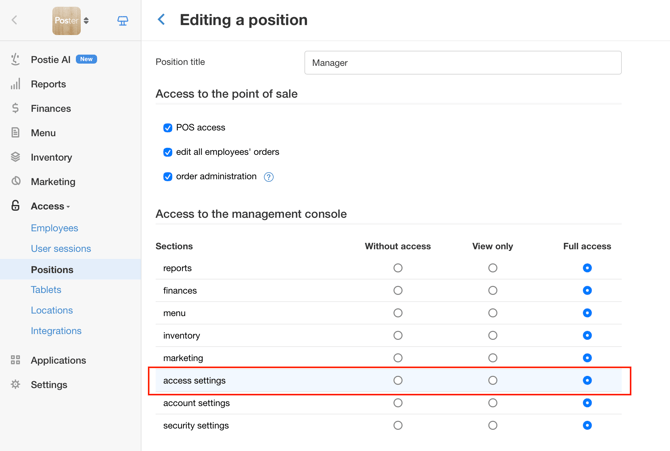
A owner, manager, or employee can add, edit, and restore a location if their position has full access to Access settings enabled under Access → Positions.
When to add multiple locations to one account
Add multiple locations to one Poster account if they have the same format and a similar menu. This way, you can see sales for the entire locations in one account.
We recommend combining locations in one account if their menus differ by no more than 10–15%. If the menus differ by more than 15% and the locations have different formats, we recommend creating separate accounts.
☝️ All locations in one account use one plan. You cannot set different plans for individual locations because the plan applies to the entire account. If your locations need different plans, create separate accounts for them.
What to prepare before adding a location
Before adding a new location to Poster, set up:
Financial accounts — create separate accounts for the new location to track funds and their balances separately.
Storage — add a storage location under Inventory → Storage locations to manage supplies, track stock levels, deduct ingredients, and perform inventory checks separately.
How to add a location
- Open Access → Locations in the management console.
- In the top-right corner, click Add.
- Enter the business name and address, and set the working time.
- Link the financial accounts: a bank account, cash account, and account for safe drops.
- Select the storage locations for the location and set up deduction rules.
- Click Save.
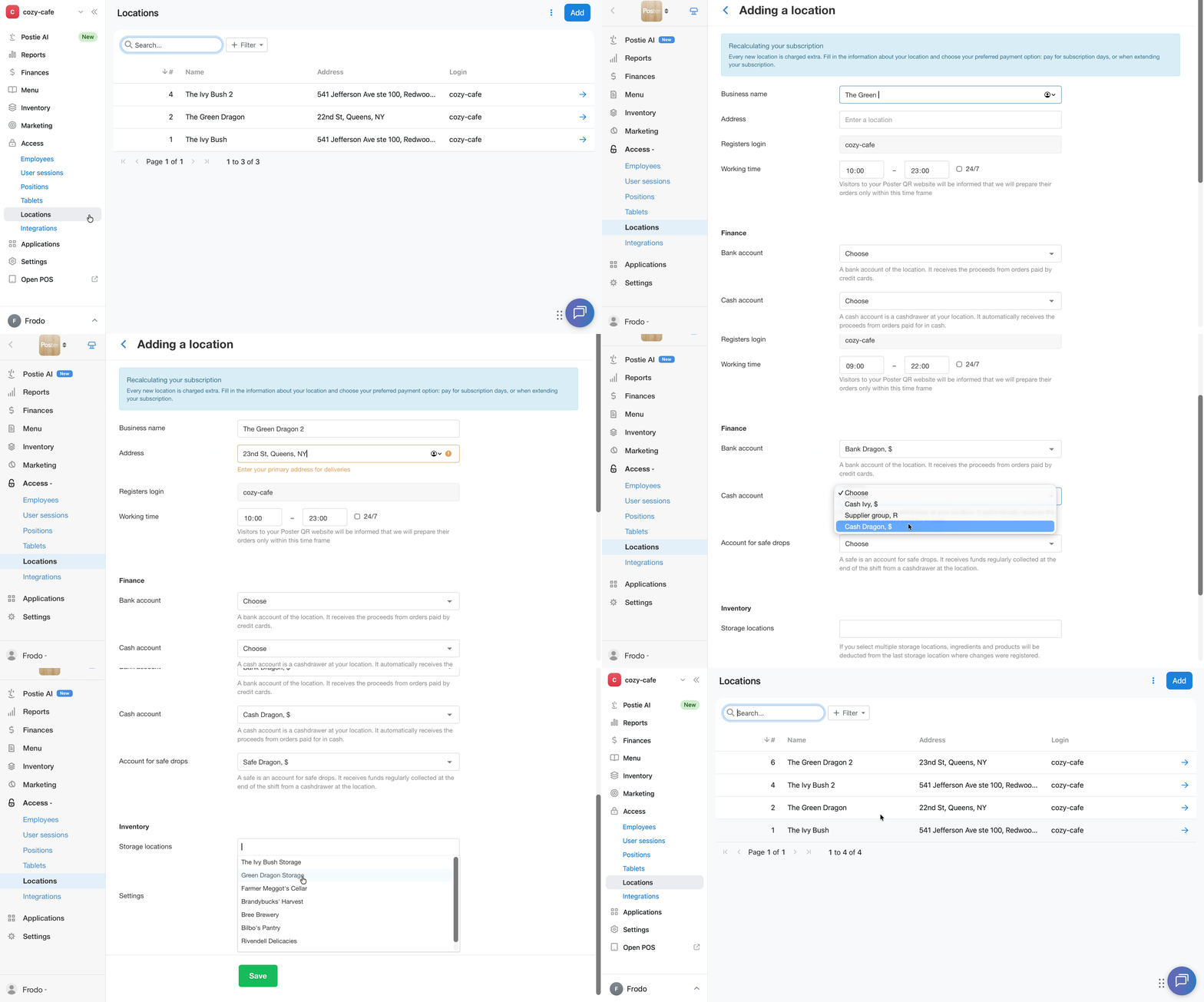
The new location will appear in the list under Access → Locations. Poster automatically creates 1 POS for each additional location.
If your account is connected to Poster Connect, you cannot add a location yourself. Contact us via chat, and a manager will help you add the location.
How to edit a location
Edit the location settings in the management console under Access → Locations:
- Open Access → Locations.
- Click → next to the location you need to edit to open its settings.
- Edit the required location details.
- Click Save.
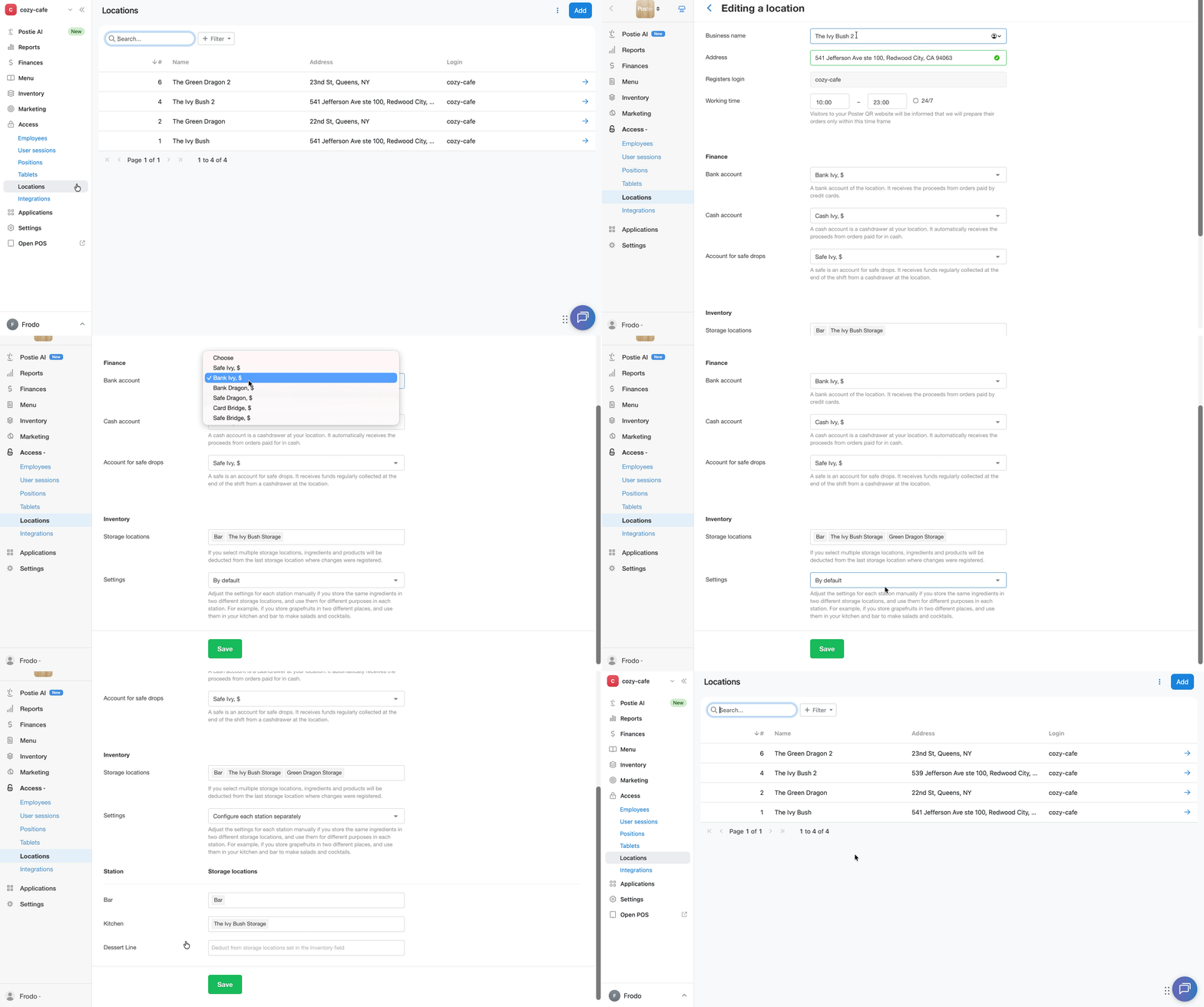
When editing a location, you can change:
- business name;
- address;
- working time;
- location accounts;
- storage locations;
- deduction rules.
You cannot change the POS login when editing a location. If you need to change the POS login, contact support chat.
How to configure columns in the location list
Under Access → Locations, you can choose which columns to display in the location list:
- Open Access → Locations.
- Open the Columns window.
- Select the columns you want to display and clear the checkboxes for the columns you want to hide.
- Click Apply.
The following columns are available in the location list:
- # — location number in the account;
- Name — location name;
- Address — location address;
- Login — login for the location's POSs.
To restore the default columns, click Reset to default in the Columns window.
How much does an additional location cost?
The cost of each additional location in Poster is equal to the cost of your account's plan. This price already includes 1 POS.
The amount for additional locations is automatically added to the main invoice. Check the number of locations and the amount due under Settings → Billing, in the Subscriptions section.
How to delete a location
You cannot delete a location from your Poster account yourself. To delete a location, contact support chat.
How to restore a deleted location
You can restore a deleted location yourself from the Trash under Access → Locations. The Trash contains all deleted locations in the account.
- Open Access → Locations in the management console.
- In the top-right corner, click ︙ and select Trash.
- Next to the location you want to restore, click ︙, select Recover, and confirm the restoration.
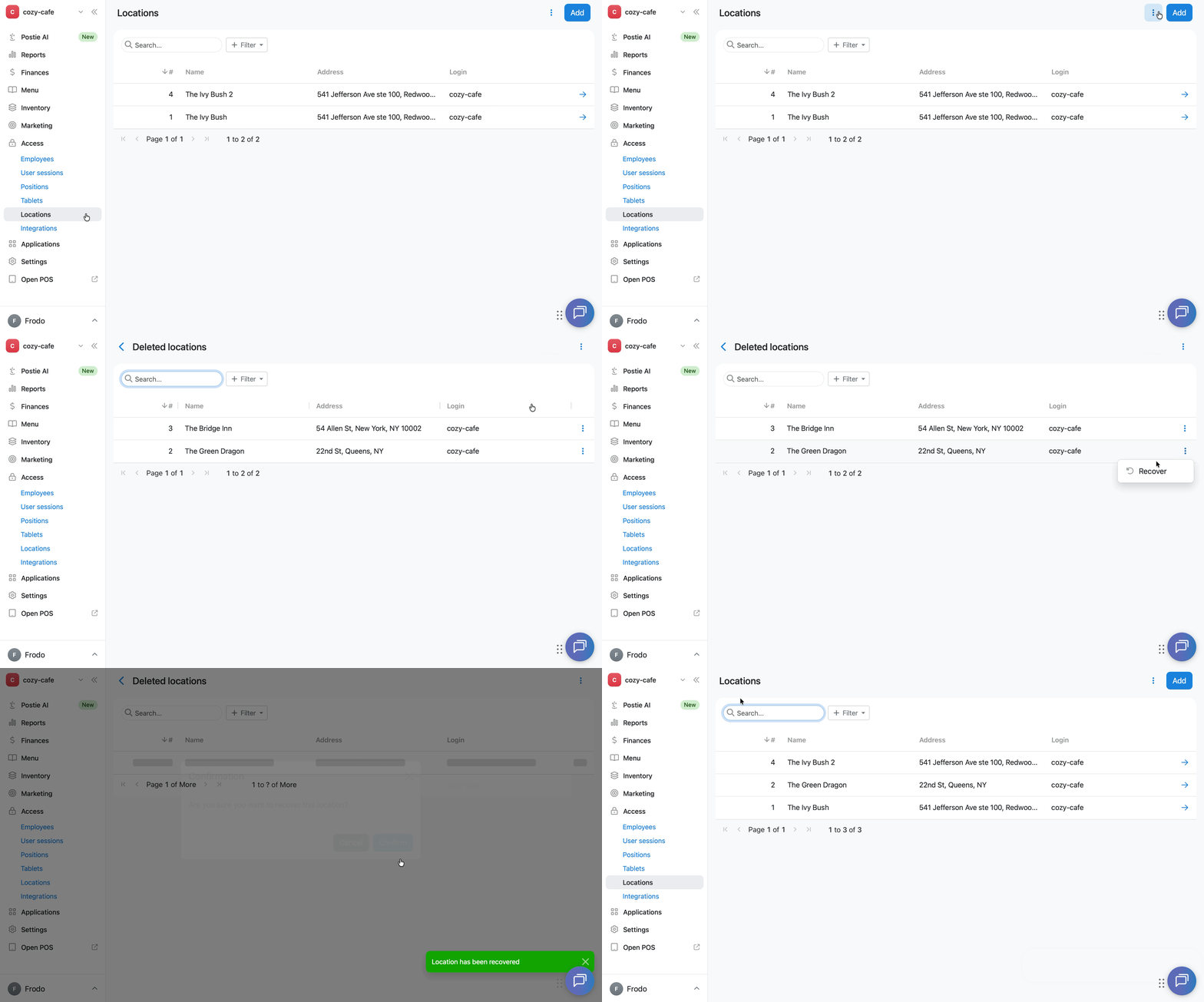
The restored location will appear again in the list under Access → Locations.
Restrictions
- If locations in your chain need different menu prices, set up different prices for each location within one account.
- If your account is connected to Poster Connect, you cannot add a location yourself in the management console. The Add button will not be available in the top-right corner of Access → Locations. To add a location to such an account, contact us via chat.
- The POS login does not change when you edit a location. To change the POS login, contact support chat.
- You cannot delete a location yourself in the management console. If you no longer operate the location, contact support to delete it.