
Using one account is convenient when the locations have the same format and similar menus. If the venues have a different format and their menus differ by more than 15%, it's better to manage them in separate accounts.
One account
One account works well for locations of the same format with similar menus. In one account you can:
- set different prices and dish availability for each locations;
- keep a shared financial and inventory record;
- move products between locations' storages and carry out transactions between their accounts;
- keep cash shift records per location;
- view sales and reports for each location individually or for all of them at once, in the management console and in the Poster Boss mobile app.
In a shared account, it's not possible to:
- use different pricing plans for different locations;
- choose different location types;
- restrict employees' access rights to management console sections on a per-location basis;
- set different account settings and security settings per location.
☝️ Each additional location already comes with 1 POS register included, and this location costs the same as your account's pricing plan.
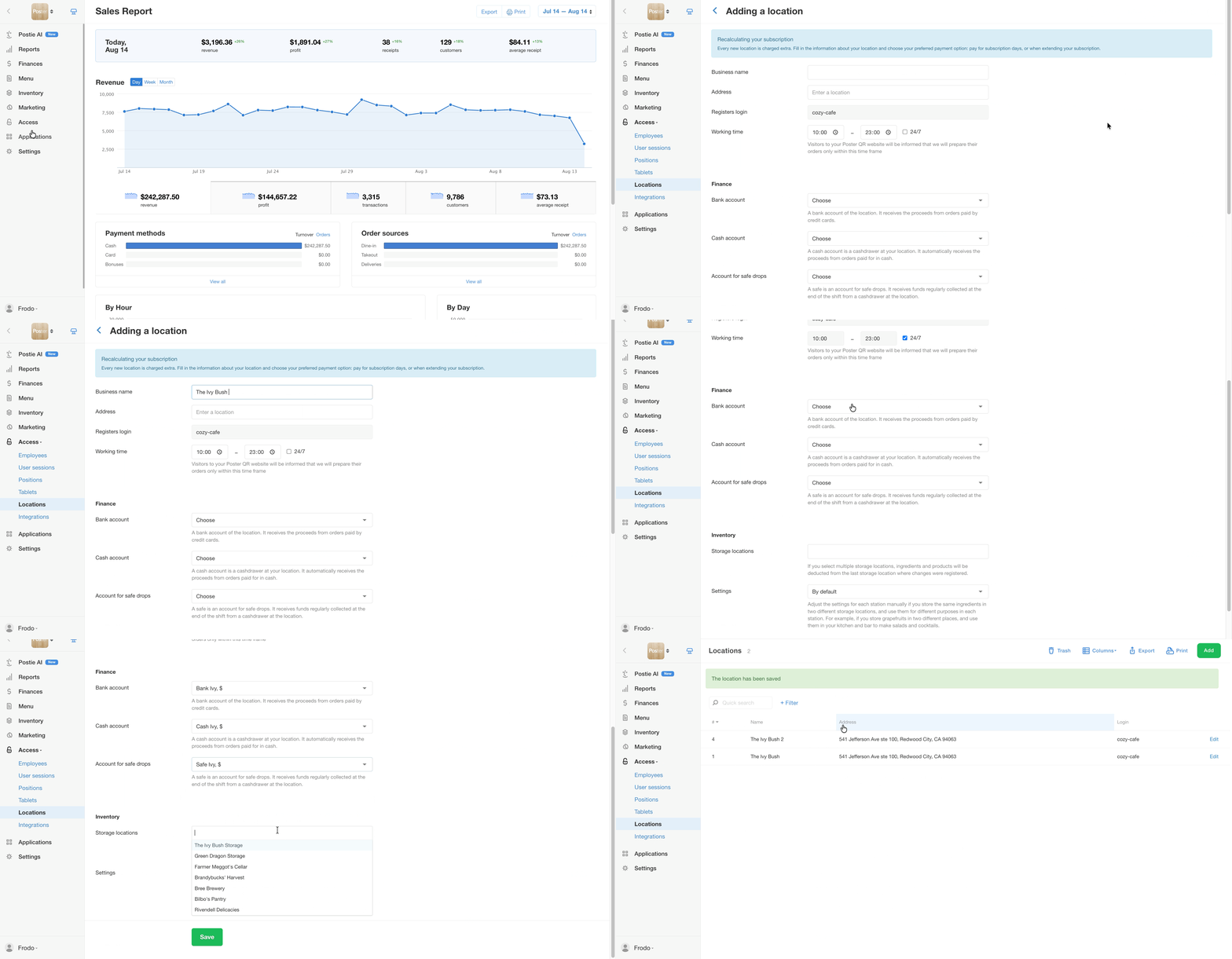
💡 To combine locations of the same format with similar menus in one account, add additional locations.
Separate account
If your locations have different format and their menus differ by more than 15%, use separate accounts. In each account you'll be able to:
- keep separate records;
- choose a different location type;
- choose a different pricing plan with additional features;
- connect integrations with services that aren't needed at other locations;
- quickly switch between accounts and check reports in the Poster Boss mobile app.
In separate accounts, it's not possible to:
- view reports for all locations in one report;
- move products between different locations' storages;
- make money transfers between accounts of different locations;
- compile a combined financial report across all locations.
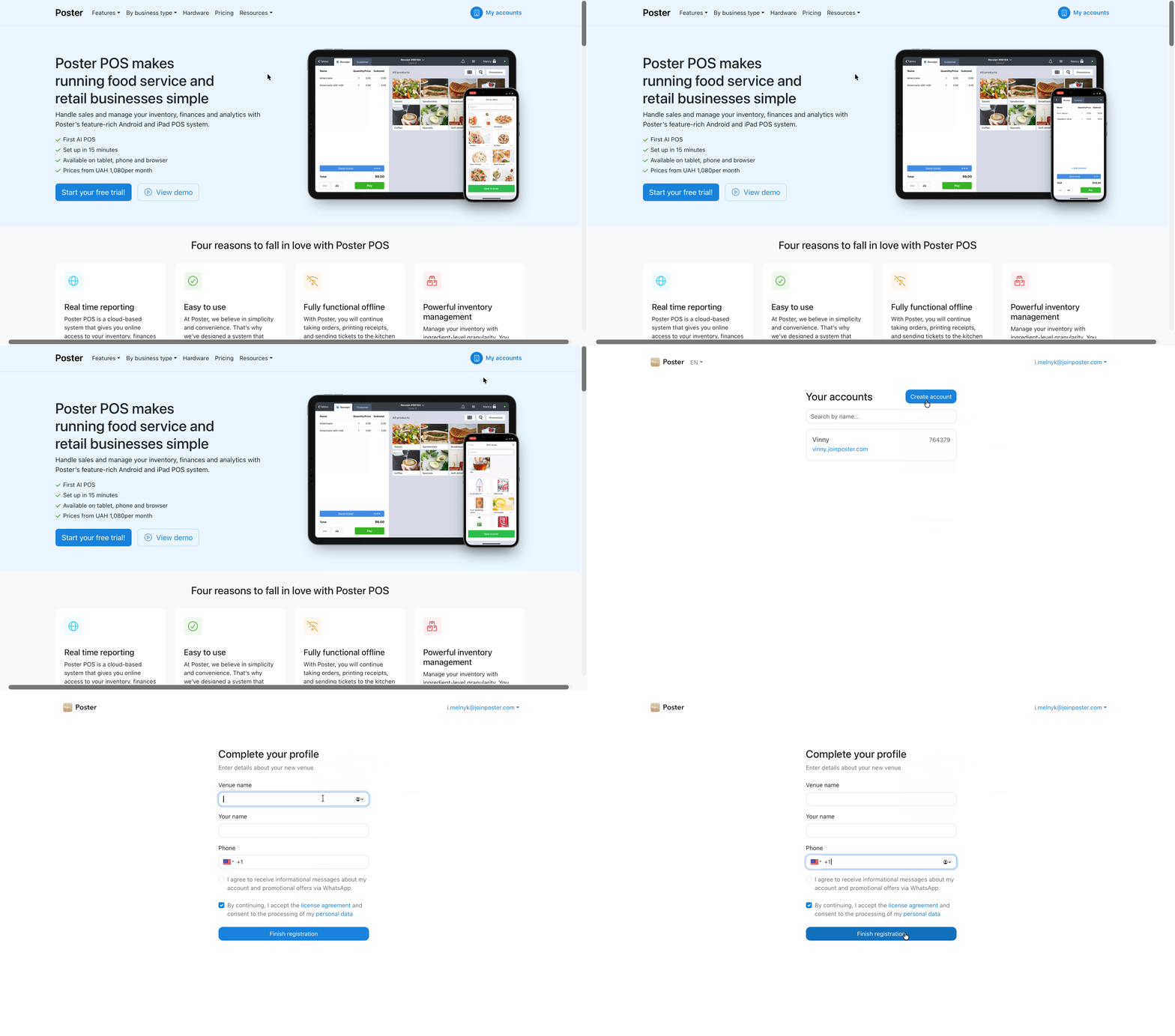
💡 If you want to create another Poster account using the same email address, you don't need to register again.
Log in to your account, go to the My accounts page, click Create account, enter the location name, your name, and phone number — the password will be filled in automatically.
To keep financial and inventory records, link your financial accounts and storage locations to your locations.