
Postie AI is an AI-powered assistant that simplifies adding products to Poster. Just upload a photo of a receipt or invoice, and Postie will automatically recognize the text and fill in all the required data.
💡 Each month, the app provides 20 free actions. One supply uses one action. The limit is renewed automatically on the day the app is connected.
If the free limit is not enough, activate the 10 $/month for 100 actions. The charge will be added automatically in Settings → Billing. In total, you will be able to upload up to 120 invoices per month.
You can add a delivery with Postie AI in the back office and in the cash register app.
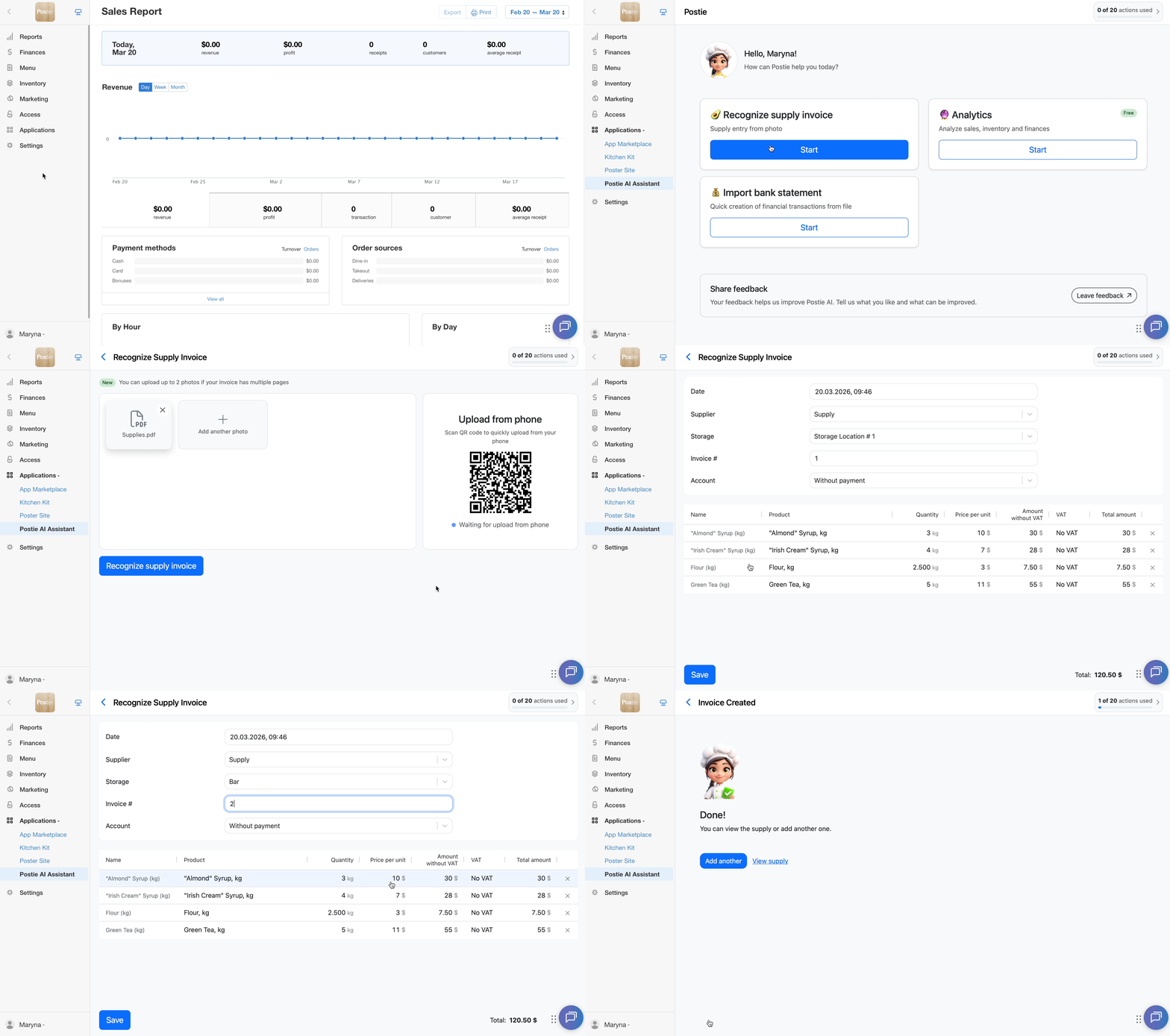
To add a supply from a photo in the management console:
-
Open Applications → Postie AI and, in the Recognize supply invoice section, click Start.
☝️ If all actions have been used, you will not be able to start invoice recognition. The Start button will be inactive.
-
Upload a photo of the invoice or receipt, or a PDF document.
🖼️ You can add up to two photos of the same invoice. This is convenient when all the information does not fit on one page or if there is a back side.
-
Wait for the recognition to finish and check whether the products have been matched correctly.
💡 If needed, edit the names, quantities, or prices. -
Click Save.
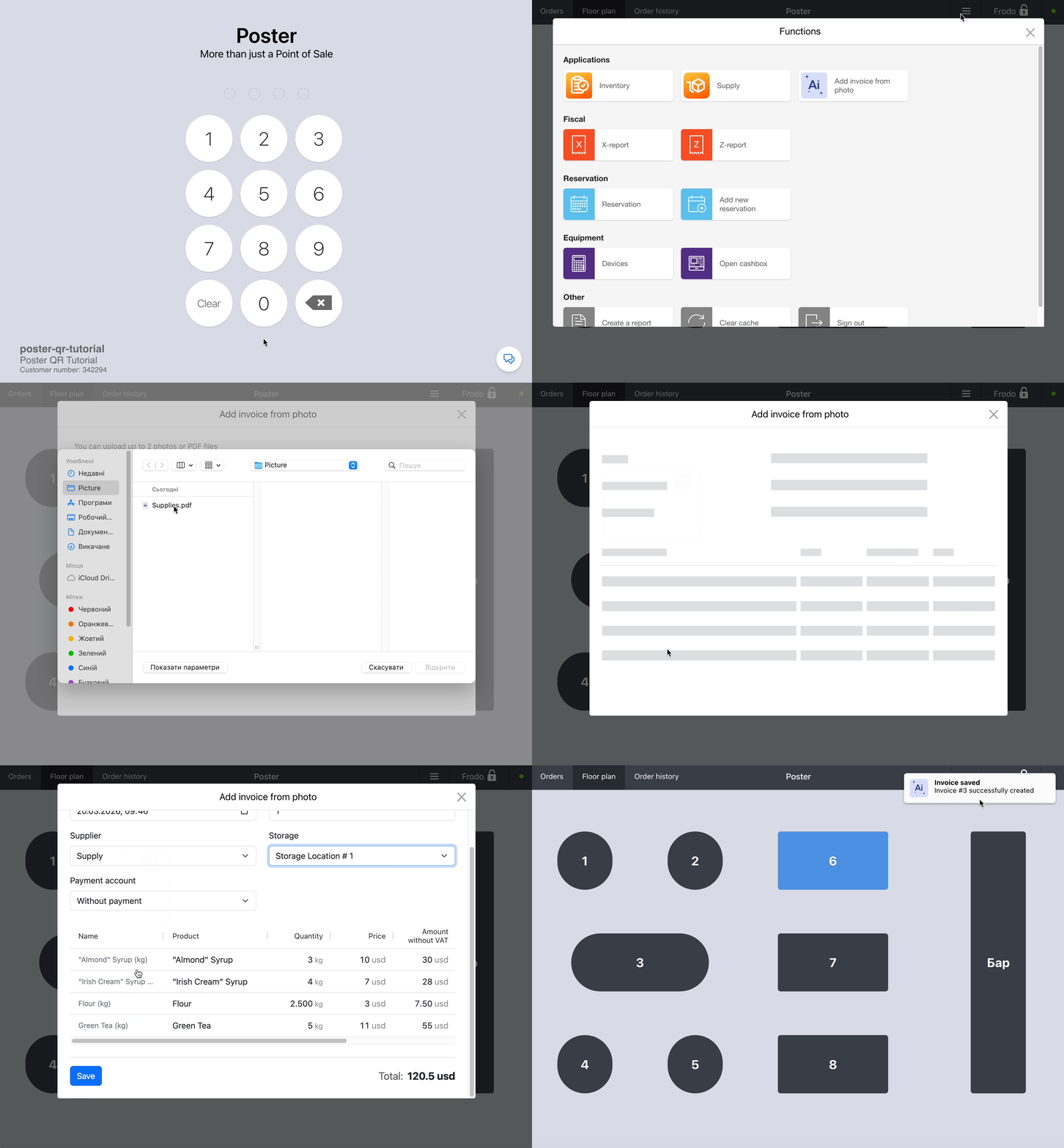
To add a supply from a photo in the POS app:
-
Log in to a Poster POS account.
-
Tap ≡ in the top-right corner of the screen.
-
In the Applications section, tap Add invoice from photo.
-
Upload a document or photo.
-
Wait until the document is recognized and save the supply.
You can check the saved supply in the back office under Inventory → Supplies.
Postie remembers the last warehouse for each supplier and fills it in automatically for the next supply.
The AI assistant also learns from products: once you match the name from the invoice to the item in your admin panel, Postie will do it for you automatically in the future.
☝️ Postie only works with suppliers and warehouses that already exist in your account.
To ensure accurate invoice recognition, keep a few things in mind:
— Blurry or low-quality photos may cause errors.
— Postie works only with standard units such as liters, kilograms, and pieces. If you need different ordering units, change it after saving.
To record incoming goods, track supply amounts, and monitor outstanding balances, add all the suppliers you work with.