
To add categories of ingredients:
-
Go to Menu → Categories of ingredients in the management console.
-
Click Add.
-
Fill in the Name. For example, “Vegetables” or “Seafood”.
-
Click Save.
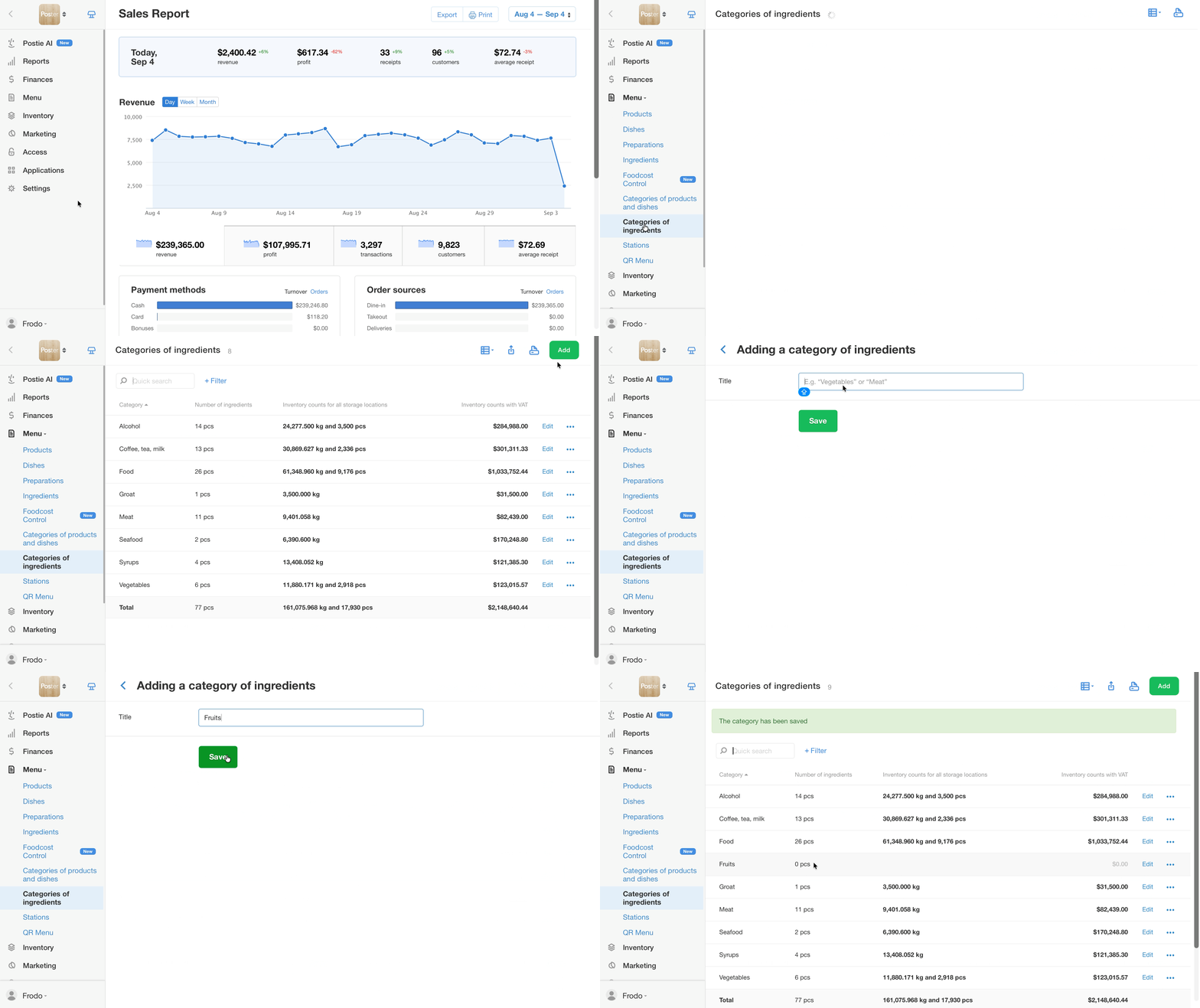
The new category will appear in the list of ingredient categories and will be available in the drop-down list when editing an ingredient.
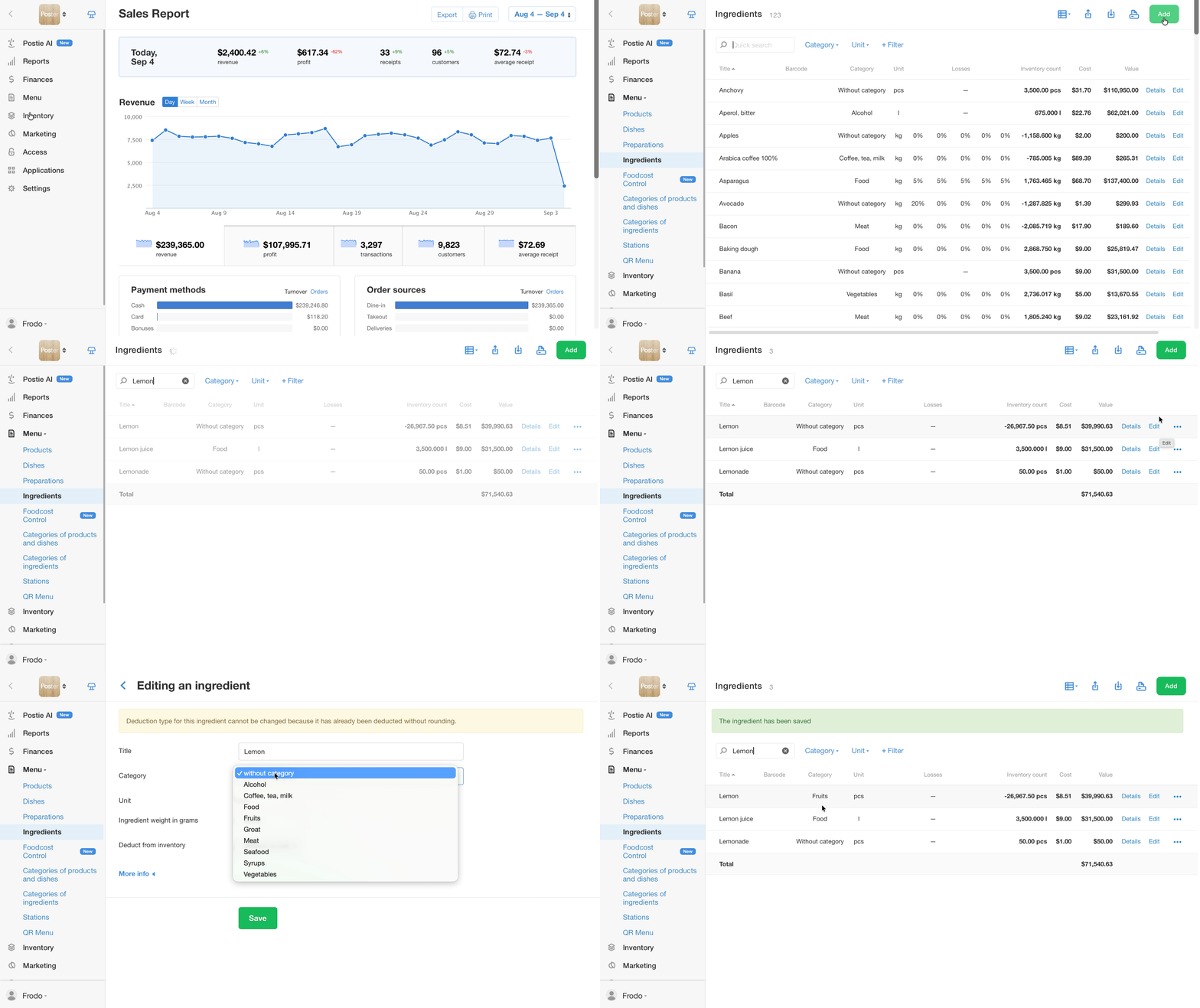
To assign a category to the ingredient:
-
Go to Menu → Ingredients in the management console.
-
Click Edit next to the ingredient or Add a new one if necessary.
-
Choose the Category from the drop-down list.
-
Click Save.
How to delete an ingredient category
To delete an ingredient category, open Menu → Categories of ingredients in the management console, click • • • next to the category you want, and select Delete.
Then choose what to do with the ingredients in that category:
- Move to «Without a category» — the category will be deleted, and the ingredients will remain in the system without a category.
- Delete — the category and all ingredients in it will be deleted.
A deleted ingredient category cannot be restored. If you deleted it by mistake, create it again.
How to sort or filter the ingredient category list
The order of ingredient categories cannot be changed — the list is generated automatically.
To find a category faster, sort the list by one of the columns: Category, Number of Ingredients, or Inventory counts. To do this, click the column header. Clicking again reverses the sort order.
Filtering categories is also available. Click + Filter and choose the parameter you want to filter the list by: Category, Number of Ingredients, or Inventory counts. Once you select a parameter, a field will appear where you can enter or select a value. This will leave only the categories that match the condition in the list.
💡 You can create a «Household goods» category with all the household ingredients to record the stock of paper towels or washing materials. Categories of ingredients are not displayed on the register so they will not distract the waiter.
Set up a low stock alert to control stock and make purchases on time.