
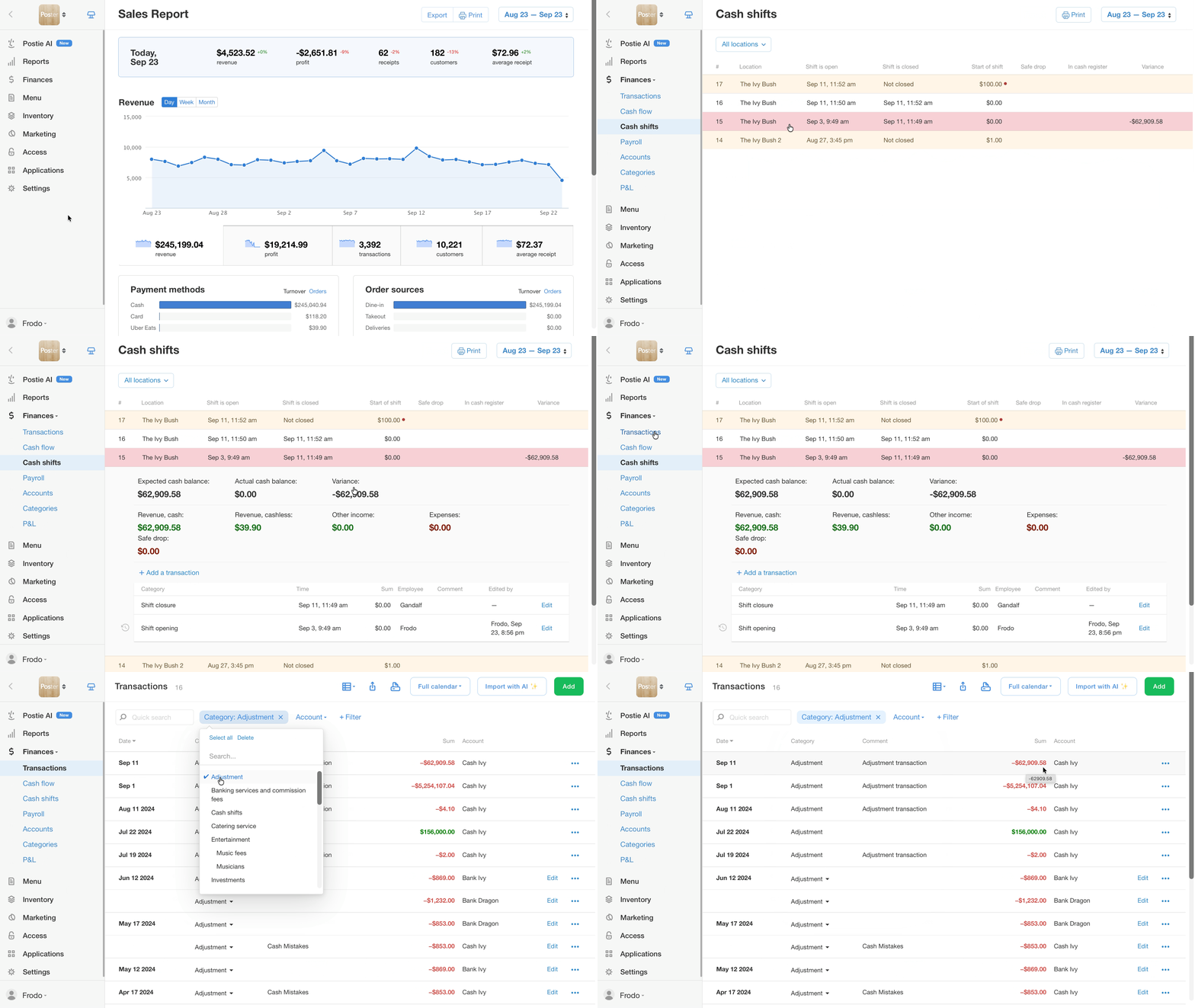
An actualization or adjustment transaction is a transaction that Poster creates automatically after a cash shift is closed. Its amount equals the difference between the expected balance and the actual balance of the register. The adjustment transaction makes sure that the balance of the cash account in Poster matches the real amount of money in the register.
When Poster creates an adjustment transaction
Poster creates an adjustment transaction when a cash shift is closed if the actual amount of money in the register differs from the expected balance calculated by Poster.
-
If there is more money in the register than Poster calculated, the difference is added to the cash account.
-
If there is less money in the register than Poster calculated, the difference is deducted from the cash account.
If the actual and expected balances match, no adjustment transaction is created.
The adjustment transaction helps reconcile the cash account balance with the real amount of money in the register, based on the actual and expected balances.
Where to find the adjustment transaction in Poster
The adjustment transaction appears in the management console under Finance → Transactions. It belongs to the cash account that the register is linked to.
Can you delete an adjustment transaction or actualization
You can't delete or edit an adjustment transaction manually. Poster creates it automatically when a cash shift is closed, so there is no option to delete it or change its amount in Finance → Transactions or Finance → Cash shifts.
Once you edit the cash shift and the actual balance matches the expected balance, Poster removes the adjustment transaction automatically.
How to remove an adjustment transaction
To remove an adjustment transaction, fix the discrepancy that caused it:
- Find the cause of the discrepancy between the actual and expected balances in the cash shift.
- Edit the transactions in Finance → Cash shifts in the management console so that the actual balance matches the expected balance.
- After editing the cash shift transactions, check Finance → Transactions. The adjustment transaction disappears as soon as the discrepancy is fixed.
To keep track of money movement across your accounts, check Cash flow.