
To unlink a storage location:
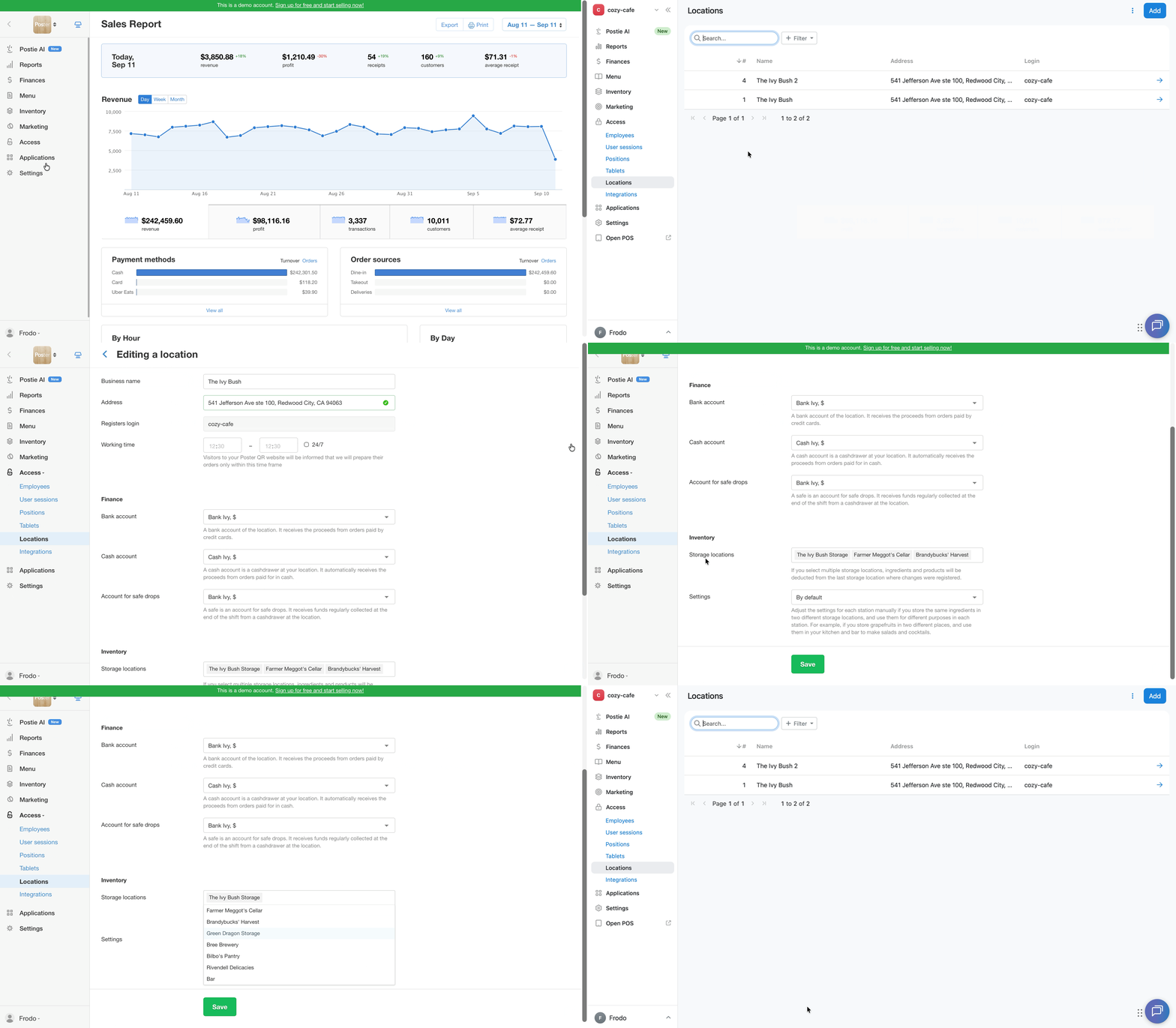
- In the management console, go to Access → Locations.
- Click → next to the relevant location.
- Scroll down to the Inventory section.
- Click on an empty space in the storage field so the cursor appears. Delete the storage location using the Backspace key.
- Save the settings.
If needed, you can re-link the storage location at any time or configure detailed stock deductions from different storage locations by station.