
How to export the general list of stock deductions
- Open Inventory → Stock deductions in the management console.
- In the upper-right corner, click ︙.
- Select Export.
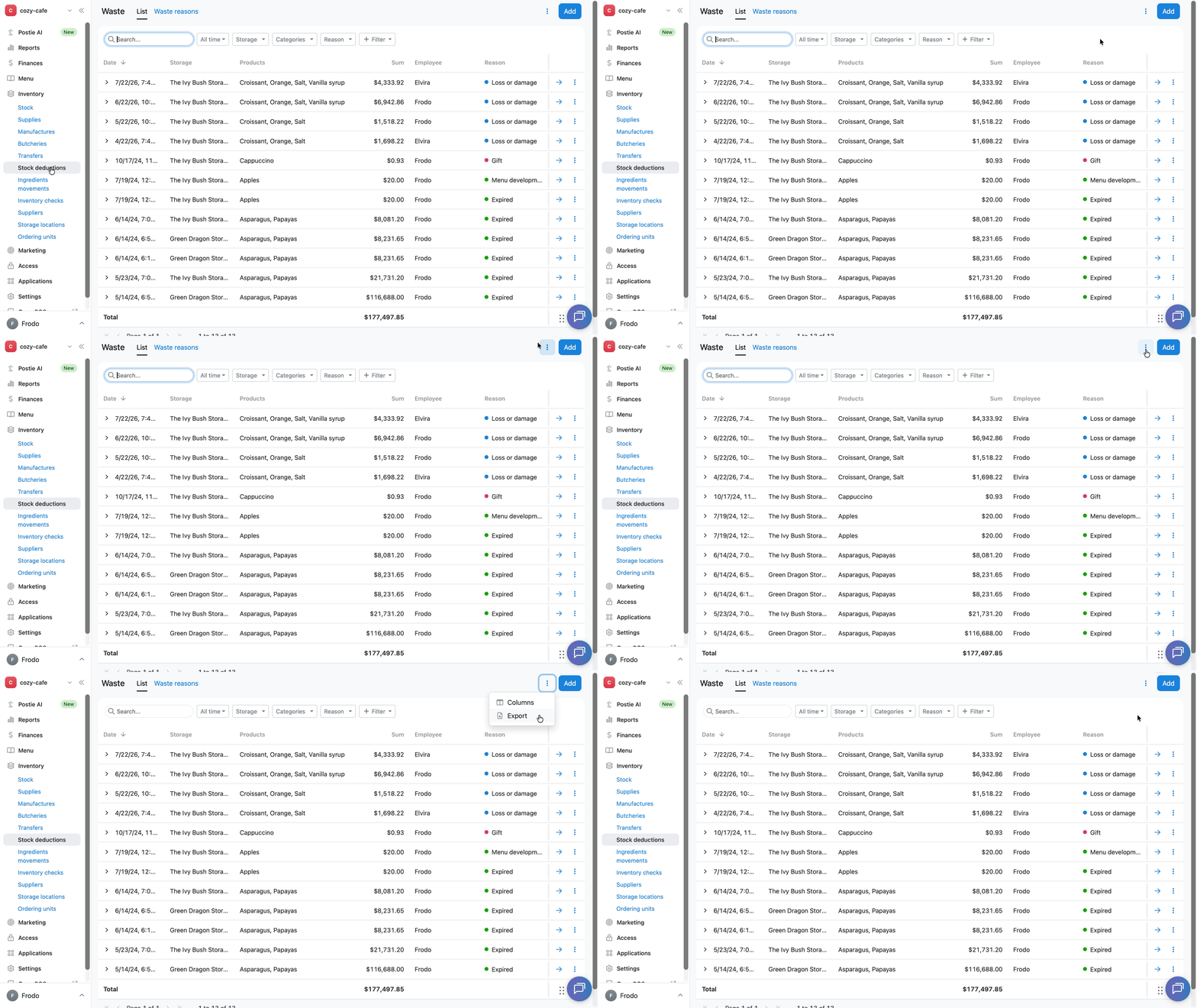
Poster will download an XLSX file containing the list of stock deductions based on the filters applied at the time of export.
How to export an individual stock deduction
- Open Inventory → Stock deductions in the management console.
- Click → next to the required stock deduction.
- In the upper-right corner, click Export.
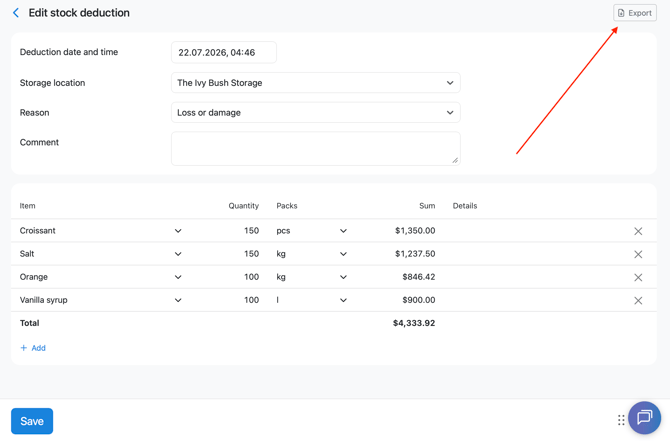
An XLSX file named «Stock deduction report» will be downloaded to your device. It will contain the stock deduction details: the report number, stock deduction date and time, storage, reason, comment, list of deducted items, their quantities, and amount.
Limitation
When you export the entire Stock → Stock deductions page, the quantity of deducted items is not displayed.
To get the quantity of each item, open the required stock deduction for editing and export it separately.