
A register is an employee's or cashier's workstation, where staff take orders, apply discounts, and accept payment from guests.
After registering a Poster account, you already have one register. If several employees need to take orders at the same time, add additional registers in the Access → Tablets section of the management console.

☝️ Each additional register is billed separately. The amount is added automatically to your main invoice.
To check the number of additional registers and the amount due, open Settings → Subscription → Subscriptions.
How to add a register
- Open the Access → Tablets tab in the management console.
- Click Add.
- Select the location where the register will operate.
- Choose the type: Standard POS or Mobile Waiter.
- Enter a password and a name for the register. For example, «Terrace», «Second Floor», or «Main Register».
- Click Save.
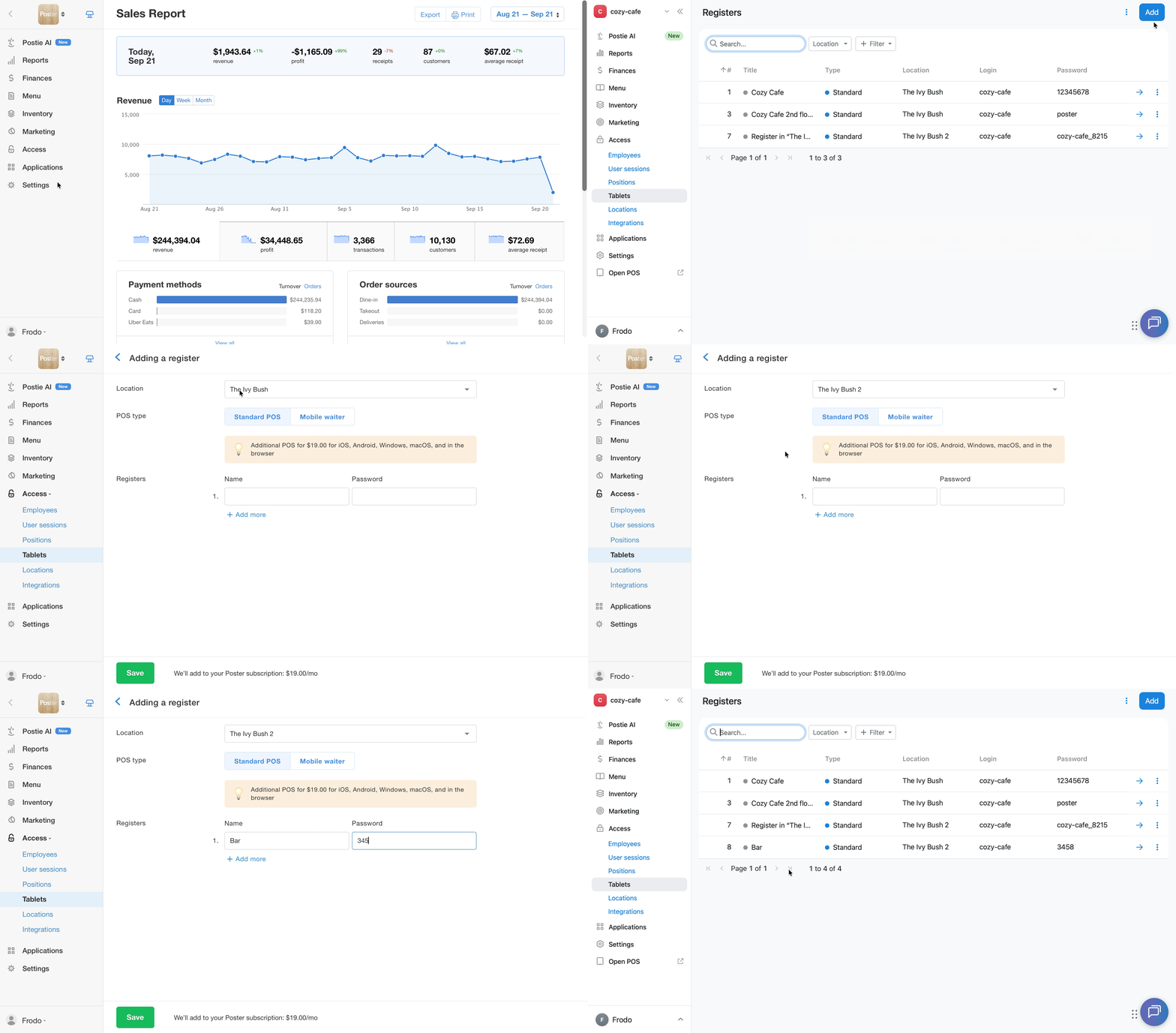
The new register will appear in the list under Access → Tablets and will be ready to use.
Who can add a register
An additional register can be added by the account owner, a manager, or any employee with full access to the Access Settings section in the position settings, under the Access → Positions tab.
How to customize columns in the register list
In the register list, keep only the columns you need:
- Open Access → Tablets.
- Click the ⋮ icon in the top-right corner of the table, next to the Add button.
- In the Columns window, select the columns you need: #, Name, Type, Location, Login, Password, Device, App Version, Wi-Fi.
- Click Apply.
To restore the default set of columns, click Reset to default.
How to change register details
Change the register's name or login password:
- Open the Access → Tablets tab.
- Click → next to the register you need.
- Change the register name and/or password.
- Click Save.
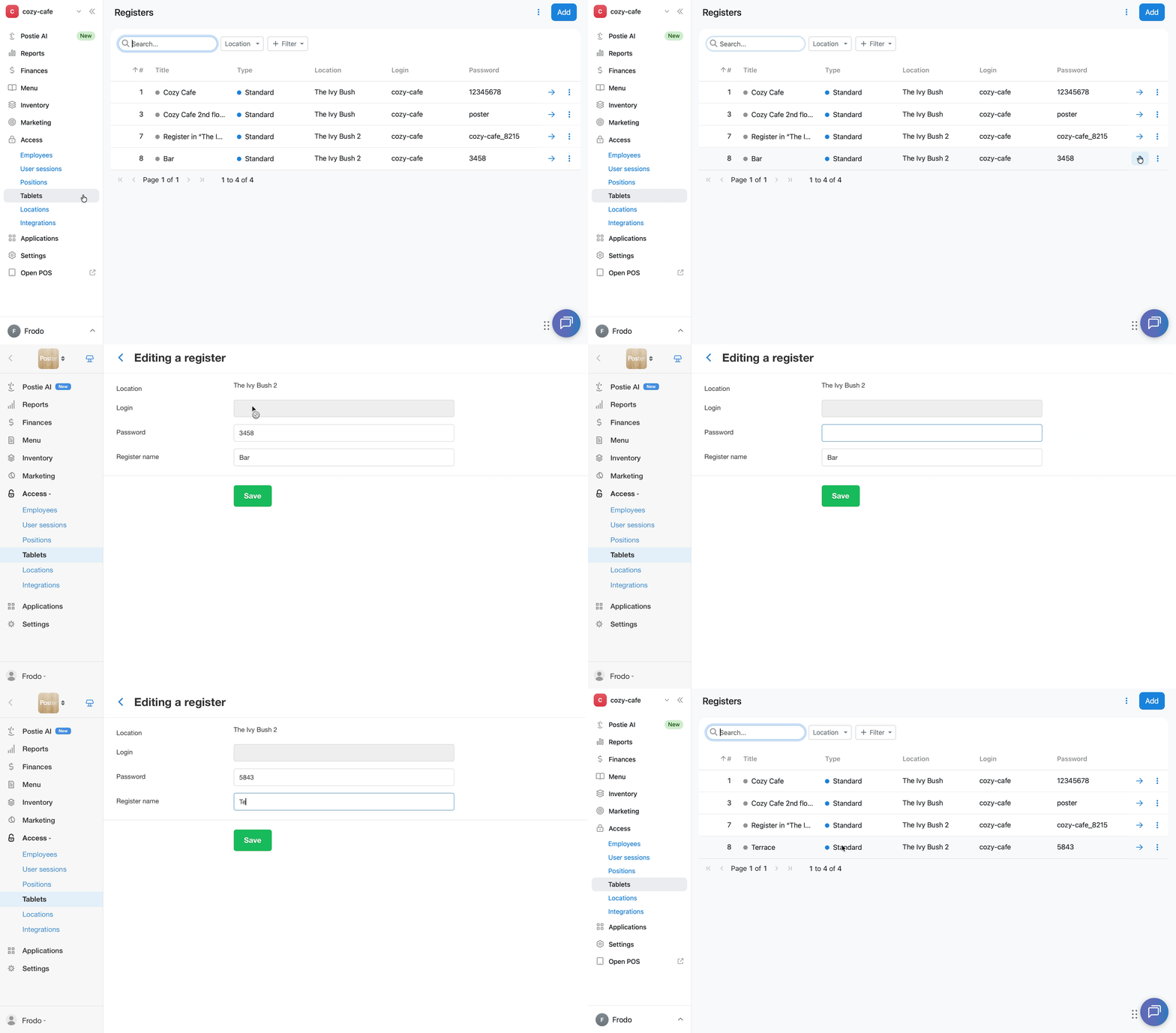
A register's login is your Poster account name. It cannot be changed on your own. If you need to change the login, contact support chat.
The location and register type are selected when the register is created. To change them, delete the register and create a new one with the correct details.
How to log a register out on all devices
If you need to end all active sessions on a register, log it out from the management console:
- Open the Access → Tablets tab in the management console.
- Click ︙ next to the register you need.
- Select Log out.
- Click Confirm.
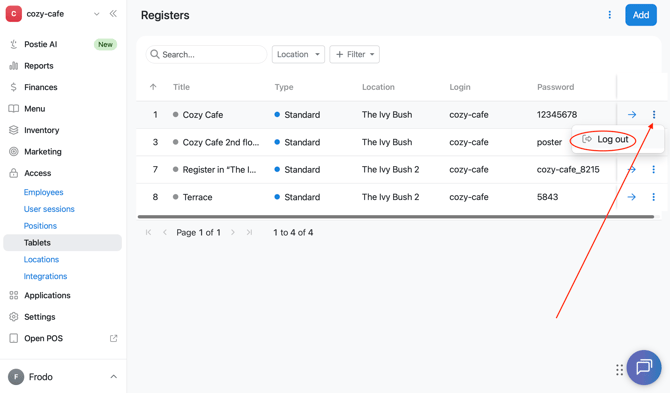
After this, access to the register will be ended on all devices. To work in the register app again, the employee will need to log in with the register's login and password.
How to delete a register
You can't delete a register yourself in the management console. To delete a register, contact us in support chat.
After deletion, the register will remain in the Access → Tablets list, highlighted in red.
You won't be able to work with a deleted register, and its cost will no longer count toward your subscription payment. A deleted register can always be restored if needed.
How to restore a deleted register
- Open Access → Tablets and find the register highlighted in red.
- Click ︙ to the right of the row.
- Select Add again.
- Click Confirm.
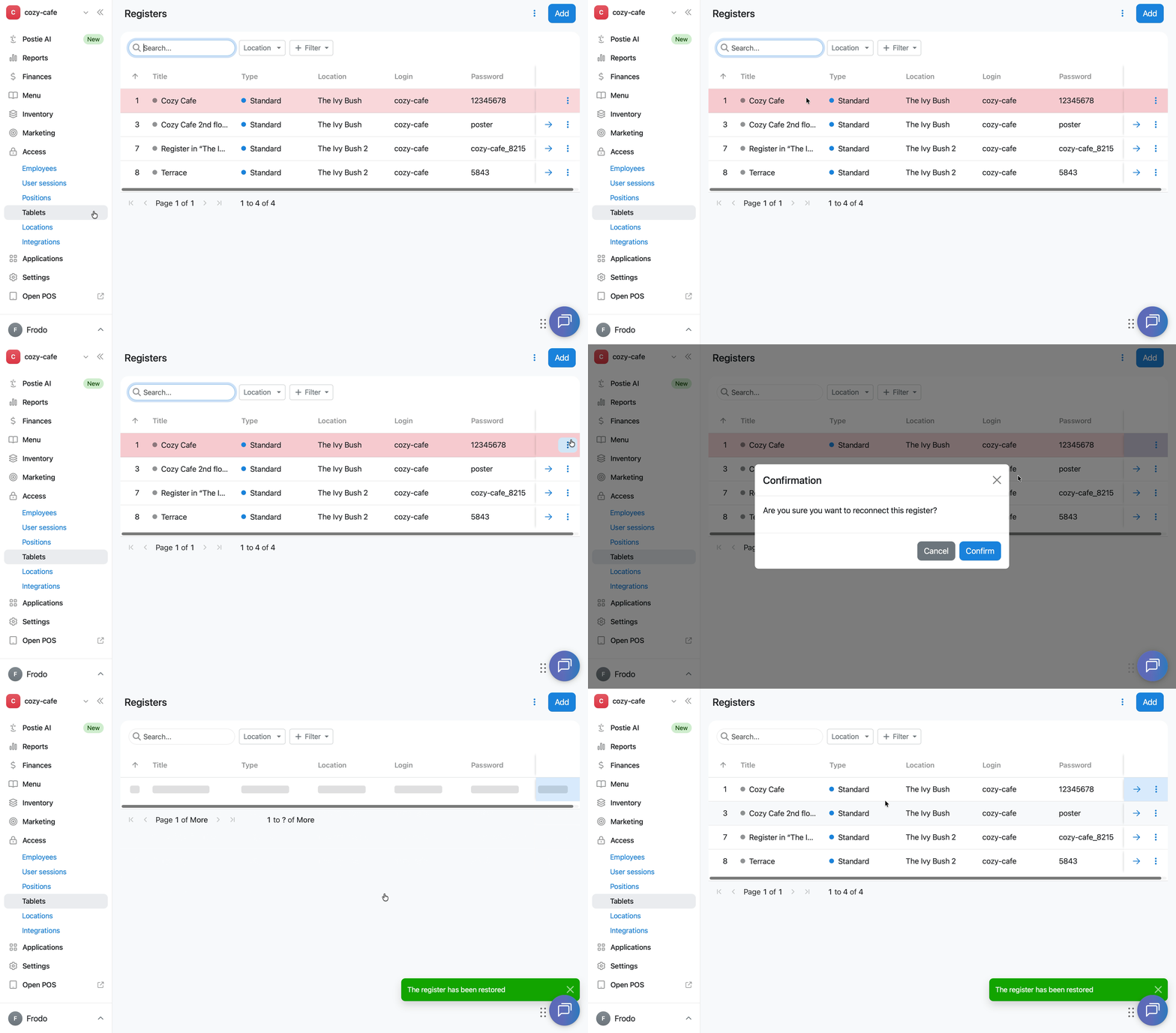
Once confirmed, the register becomes active again, and you can use it as before.
Limitations
- Each additional register is billed separately. The cost is added automatically to the main Poster subscription invoice.
- A register's login is the Poster account name. It cannot be changed on your own. To change the login, contact support chat.
- The location and register type are selected when the register is created and can't be changed later. To choose a different location or register type, delete the register and create a new one.
- You can't delete a register yourself in the management console. To delete a register, contact support chat.
- After deletion, the register stays in the Access → Tablets list, highlighted in red. You can't work with it, and its cost no longer counts toward the subscription payment.
- A deleted register can be restored on your own in the management console at any time.
- If the account is connected to Poster Connect, you won’t be able to add a register yourself in the management console. The Add button won’t be available in the upper-right corner of the Access → Tablets tab. To add a register to such an account, contact us via chat.