
To turn off receipt printing before closing the order:
- In the management console, go to Settings → Security.
- Check the Don’t allow to print check before closing order box.
- Click Save.
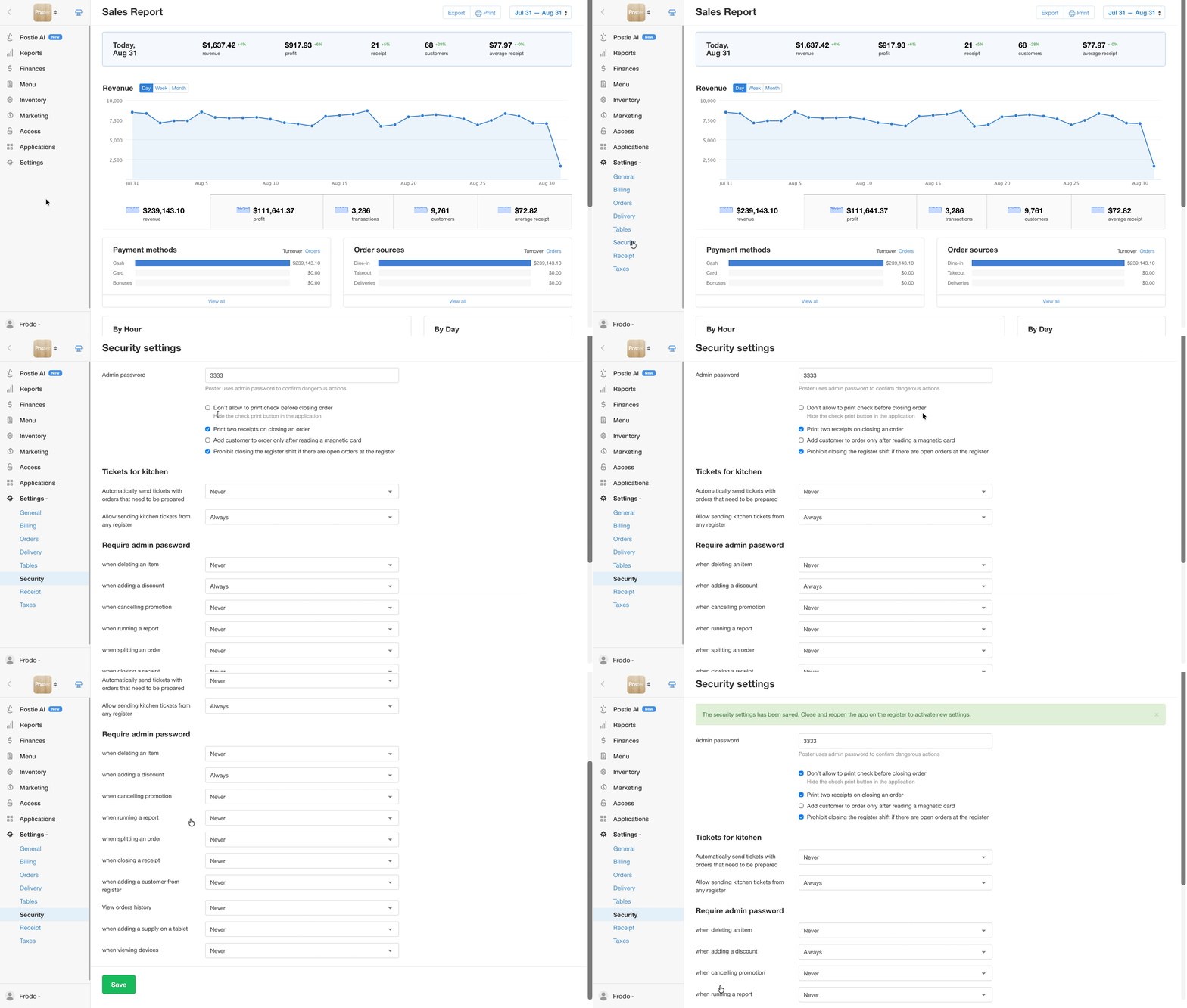
💡 To apply the new security settings, restart the POS. Close the app and reopen it.
☝️ Printing a receipt before closing the order does not close it. It's just a bill for the guest before the order is closed. The order can still be edited and closed separately at the POS.
To print one receipt for the guest and keep a second copy with the cashier, print two receipts when closing the order.