
☝️ A regular Poster account is not suitable for development. The Poster for Developers app, where you build integrations, is available only in a Dev account.
How a Dev account differs from a regular Poster account
A Dev account is a separate Poster account designed for developing apps and integrations through the API.
The management console of a Dev account looks the same as a regular Poster account, but it also includes the Poster for Developers app. In that app, you fill in your developer information and create your own applications.
A Dev account and a regular Poster account have different URLs. The Poster for Developers website works only with Dev accounts.
How to create a Dev account through the Poster for Developers website
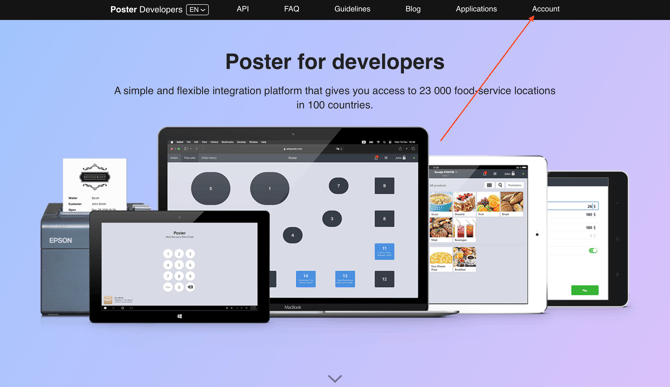
- Go to the Poster for Developers website and click Account.
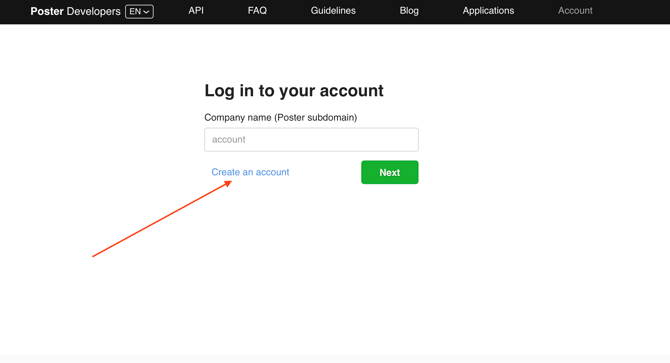
- In the login window, click Create an accuont.
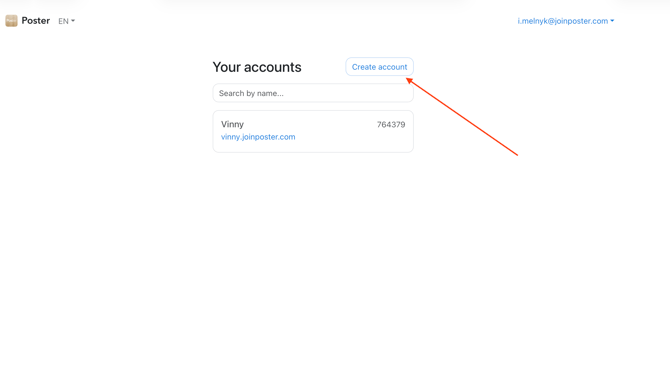
- On the https://joinposter.com/en/login/accounts page, click Create account.
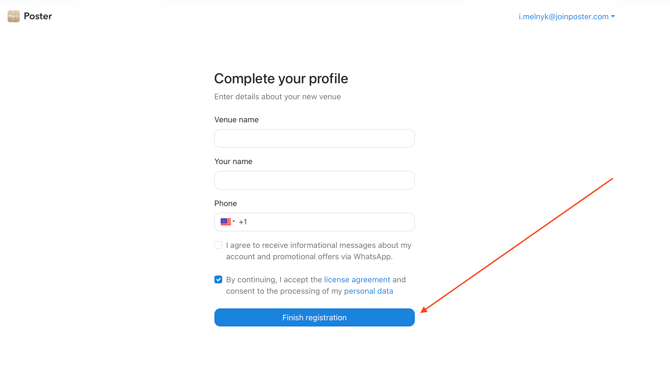
- Enter your details and click Finish registration.
- Answer the questions in the questionnaire.
💡 When you register through the Poster for Developers website, you can choose any answer for the first question.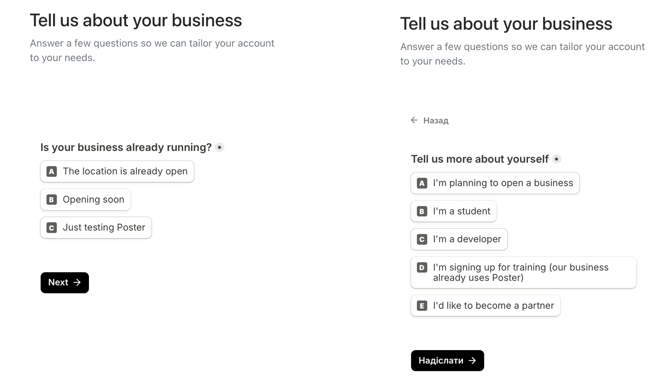
- Wait about a minute while the Dev account is created.
- If you don’t have a Poster account yet, confirm your email address through the link in the email.
💡 If you already have a Poster account, you don’t need to confirm your email again.
After registration, the management console of your new Dev account will open.
How to create a Dev account through the main Poster website
☝️ When you register through the main Poster website, it is important to answer the questionnaire correctly. Otherwise, a regular Poster account will be created instead of a Dev account.
- Go to the Poster website and click Log in.
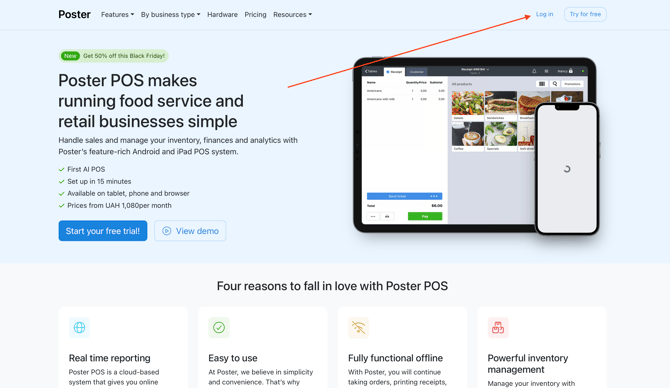
- On the https://joinposter.com/en/login/accounts page, click Create account.
- Enter your details and click Finish registration.
- For the first question in the questionnaire, select Just want to look at Poster.
❗ If you choose any other option, a regular Poster account will be created.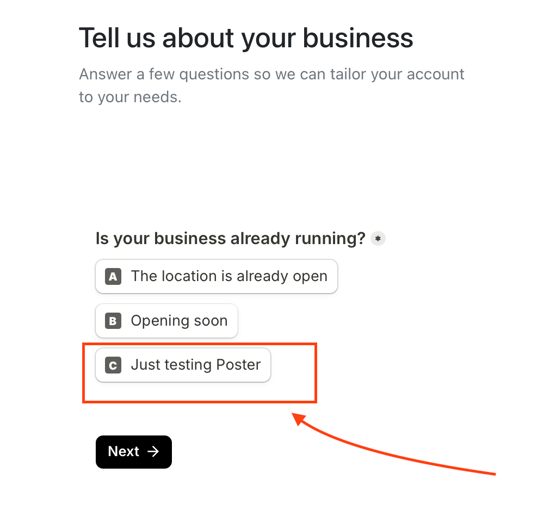
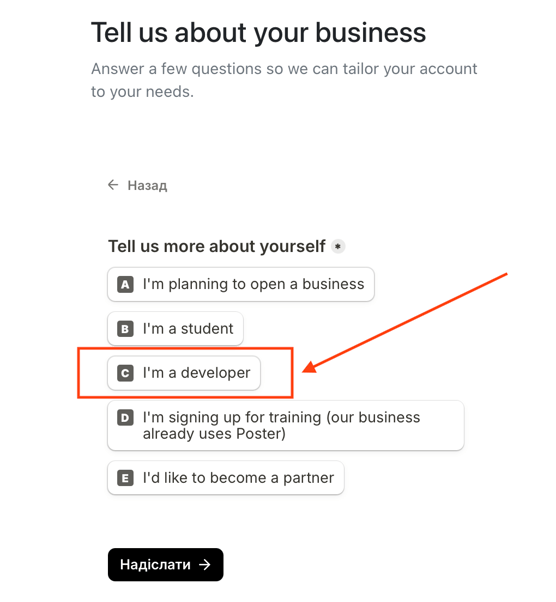
- For the second question, select I am a developer.
- Wait about a minute while the Dev account is created.
- If you don’t have a Poster account yet, confirm your email address through the link in the email.
💡 If you already have a Poster account, you don’t need to confirm your email again.
After registration, the management console of your new Dev account will open.
How to check that the Dev account was created correctly
Open the management console of the new account and check whether it includes the Poster for Developers app.
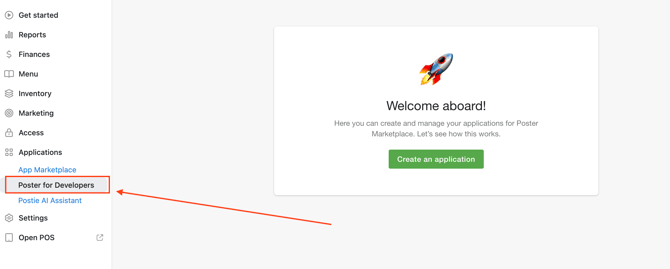
If the app is not there, a regular Poster account was created during registration.
What to do if you have a problem registering a Dev account
If you see the error «This account does not exist» when logging in on the Poster for Developers website, you entered the URL of a regular Poster account instead of the Dev account URL. Enter the URL of the Dev account. If you haven’t created one yet, follow one of the instructions above.
If there is no Poster for Developers app in the management console after registration, a regular Poster account was created.
This happens if you chose an option other than I just want to look at Poster for the first question during registration through the main Poster website. Create a Dev account again through the Poster for Developers website.
Limitations
- Poster for Developers is available only in a Dev account. It cannot be connected to a regular Poster account.
- The Poster for Developers website supports logging in only to Dev accounts. You cannot log in to a regular Poster account through it.
- Developing integrations requires a separate Dev account. A regular Poster account is not suitable for this, even if it has other apps.